



Introduction
Installing a TV antenna is an efficient and cost-effective way to access free, high-quality television programming. Whether cutting the cord on cable or enhancing your home entertainment system, understanding the antenna installation process is key to maximizing signal reception and enjoying seamless viewing.
This overview walks you through every process step, from choosing the right antenna type to fine-tuning the signal. With the proper tools, planning, and techniques, you can set up your Antenna like a pro, ensuring optimal performance and reliability for your favorite shows and channels.
This guide will provide everything you need for a TV antenna installation, including step-by-step tips, essential tools, and techniques for achieving the best signal possible.
| Step | Description | Tools Needed | Tips |
| 1. Choose Antenna | Select between indoor or outdoor based on Location. | None | Check local signal strength first. |
| 2. Find Location | Use online tools to locate broadcast towers. | Smartphone/computer | Aim for a clear line of sight. |
| 3. Gather Tools | Collect necessary installation tools. | Ladder, drill, coaxial cable | Ensure all tools are in good condition. |
| 4. Install Mount | Securely mount the Antenna if installed outdoors. | Drill, screws | Use a level to ensure it’s straight. |
| 5. Connect Antenna | Connect a coaxial cable to the TV and Antenna. | Coaxial cable | Double-check all connections. |
| 6. Scan for Channels | Perform a channel scan on your TV for available signals. | TV remote | Repeat after adjusting the antenna position. |
| 7. Maintain Antenna | Regularly inspect for debris and wear. | None | Clear snow or leaves promptly. |
This table summarizes the essential steps and considerations for effective TV antenna installation.
Understanding TV Antennas
Types of TV Antennas

Before diving into installation, it’s important to understand the types of TV antennas available:
Indoor Antennas: Ideal for urban areas with strong signals, these antennas are compact and easy to set up. They are generally less powerful than outdoor antennas.
Outdoor Antennas: Designed for rural areas or locations with weak signals, outdoor antennas are larger and more powerful, providing better reception for distant broadcast towers.
Directional Antennas: These antennas focus on signals from a specific direction, making them suitable for areas where the broadcast towers are located in a single direction.
Multidirectional Antennas: These antennas can receive signals from multiple directions, allowing for greater installation flexibility.
Choosing the Right Location for Your TV Antenna
Selecting the optimal location for your TV antenna is a crucial step in ensuring reliable reception and a strong signal. The performance of an antenna often depends on its height and orientation relative to nearby broadcast towers, so placing it as high as possible—such as on a rooftop or near an upper-story window—can significantly improve signal quality. Additionally, minimizing obstructions like trees, buildings, and metal structures between the antenna and the signal source helps reduce interference. By carefully evaluating your home’s layout and experimenting with different positions, you can find a setup that maximizes channel reception and enhances your viewing experience without unnecessary adjustments later.
Choosing the Right Antenna
When selecting an antenna, consider the following factors:
- Location: Use tools like AntennaWeb or the FCC’s DTV Reception Maps to identify the broadcast towers in your area and choose an antenna that meets your needs.
- Distance from Towers: If you live far from broadcast towers, opt for a more powerful outdoor antenna.
- Obstructions: Buildings, trees, and hills can interfere with signal reception. Consider these when deciding on your Antenna’s type and placement.
Tools You’ll Need for Installation
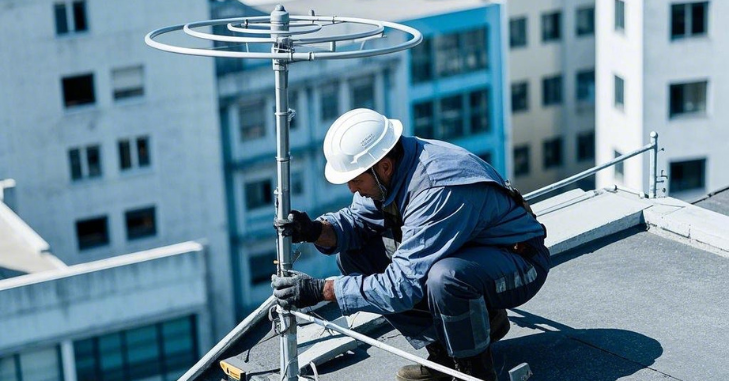
Having the right tools can significantly streamline the installation process for your TV antenna. First, you’ll need an appropriate antenna tailored to your needs. A coaxial cable is essential for connecting the Antenna to your television, so ensure you have enough length to reach from the Antenna’s Location to your TV. If you plan to install an outdoor antenna, a sturdy mount is necessary for secure placement.
A ladder will be required to access high areas safely for outdoor installations. Also, drill and drill bits are important for securing the antenna mount to a wall or roof. Cable clips will help you manage the coaxial cable along walls and ceilings, preventing any sagging. While optional, a signal meter can be useful for identifying the best signal strength during installation, and a level is crucial to ensure that your Antenna is installed straight for optimal performance.
Step-by-Step Installation Guide
Step 1: Plan Your Installation
Before you start, take the time to plan your installation:
- Choose the Location: Decide whether you want to install the Antenna indoors or outdoors. Outdoor installations generally provide better reception.
- Check Signal Strength: Use a signal strength meter or an app to determine the best Location for your Antenna, ideally where minimal obstructions exist.
Step 2: Gather Your Tools
Collect all necessary tools and materials. Having everything ready will streamline the installation process.
Step 3: Install the Antenna
Indoor Installation
To install an indoor TV antenna, start by finding the optimal spot, such as near a window or high on a wall, ideally facing the direction of the broadcast towers. Once the Location is set, connect the coaxial cable by attaching one end to the Antenna and the other to your TV.
Finally, turn on your TV and perform a channel scan to detect and access all available channels for seamless viewing.
Outdoor Installation

- Select a Mounting Location: Choose a location on the roof or wall that is high and unobstructed.
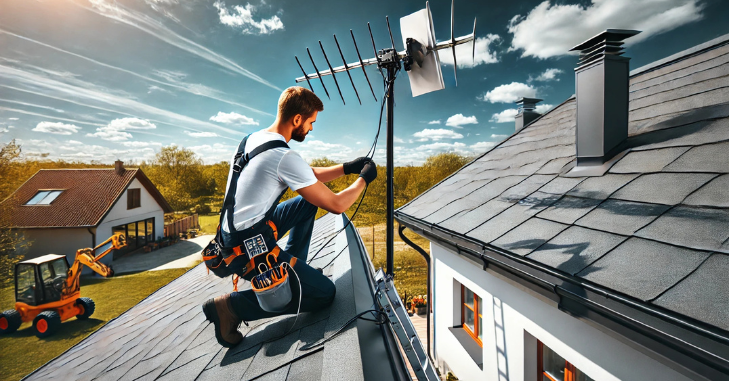
- Secure the Mount: Use a drill to attach the Antenna mount securely to the chosen surface. Ensure it is level.
- Attach the Antenna: Follow the manufacturer’s instructions to attach the Antenna to the Mount securely.
- Run the Coaxial Cable: Route the coaxial cable from the Antenna to your TV, using cable clips to secure it along walls or the roofline.
- Seal Entry Points: If you drilled holes, seal them with silicone caulk to prevent water damage.
Step 4: Connect to Your TV
Attach the coaxial cable to the “Antenna In” port on your TV to complete the connection process. Next, power on the television and navigate to the settings menu. From there, select the option to perform a channel scan, enabling your TV to detect all available over-the-air broadcasts, ensuring access to a wide range of free channels.
Step 5: Fine-tuning
Adjust the Antenna: If you notice some channels are missing or have poor quality, adjust the Antenna’s position. Small adjustments can significantly impact reception.
Re-scan for Channels: After adjusting, perform another channel scan to see if more channels are detected.
Utilize a Signal Meter: If available, use a signal meter to help pinpoint the best antenna position and ensure optimal signal strength.
Troubleshooting Common Issues
If you’re experiencing a weak signal or no reception, there are several steps you can take to troubleshoot the issue. First, check all connections, including the coaxial cable and power supply, to ensure they are secure. Sometimes, repositioning the Antenna a few inches can significantly improve reception, so consider making minor adjustments.
After repositioning, perform another channel scan to see if more channels are detected. Additionally, it’s important to identify potential sources of interference, as other electronic devices like microwaves or Wi-Fi routers can disrupt signal reception. To mitigate this, keep your Antenna away from such devices.
If interference continues to be a problem, using a signal booster can enhance reception and improve your viewing experience.
Maintenance Tips for Your TV Antenna
Regular Inspections
To maintain optimal outdoor antenna performance, it’s important to regularly check for debris, such as leaves or snow, that can obstruct signals. Additionally, examine the cables and connectors for any signs of wear and tear, replacing them as necessary to ensure a reliable connection. By performing these routine inspections, you can help prevent signal disruption and prolong the lifespan of your Antenna.
Seasonal Considerations
It’s crucial to take winter precautions in snowy regions to ensure that snow does not accumulate on your Antenna, as this can weaken the signal. Additionally, check that the Antenna is securely mounted during severe weather events.
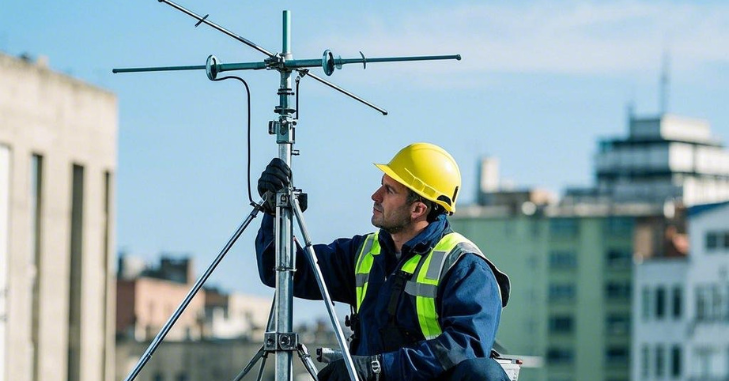
If conditions worsen, consider lowering the Antenna to prevent potential damage. By taking these proactive measures, you can maintain optimal signal strength and protect your equipment from harsh weather conditions.
Understanding Signal Quality
Factors Affecting Signal Quality
- Distance from Broadcast Towers: The farther you are from the broadcast tower, the weaker the signal.
- Obstructions: Buildings, trees, and hills can interfere with the signal.
- Antenna Type: The type of Antenna you choose significantly affects signal quality.
Signal Strength vs. Signal Quality
- Signal Strength: Refers to the power of the signal received, which can be measured using a signal meter.
- Signal Quality Refers to how well your TV receives and decodes the signal. High signal strength does not always guarantee good signal quality.
Conclusion
Installing a TV antenna can be a rewarding project providing free, high-quality television programming access. This ultimate guide can ensure a successful installation, maximizing your signal and enhancing your viewing experience.
With the right tools, techniques, and a little patience, you’ll be able to enjoy your favorite shows without the expense of a cable subscription. Embrace the world of over-the-air broadcasts and take control of your entertainment options today!
Apart from that if you want to know about “Geekzilla Radio: The Ultimate Hub for Geek Culture and Tech Enthusiasts” then please visit our “Tech” Category.
FAQs
Choose between indoor and outdoor antennas based on your location and signal strength. Indoor antennas are suitable for urban areas, while outdoor antennas are better for rural areas with weaker signals.
Use tools like AntennaWeb or the FCC’s DTV Reception Maps to locate nearby broadcast towers and determine the best placement for your Antenna.
Essential tools include the Antenna, coaxial cable, antenna mount (for outdoor), ladder, drill, cable clips, and a signal meter and level optionally.
Outdoor antennas usually provide stronger and more reliable signals, especially in areas farther from broadcast towers.
Most basic antennas do not require power, though amplified antennas may need an electrical source.
